
Your Google Business Profile can answer a customer’s most important questions before they ever reach your website. Here’s how to make it useful.
By Marcos
·
Updated September 26, 2026
·
7-minute read
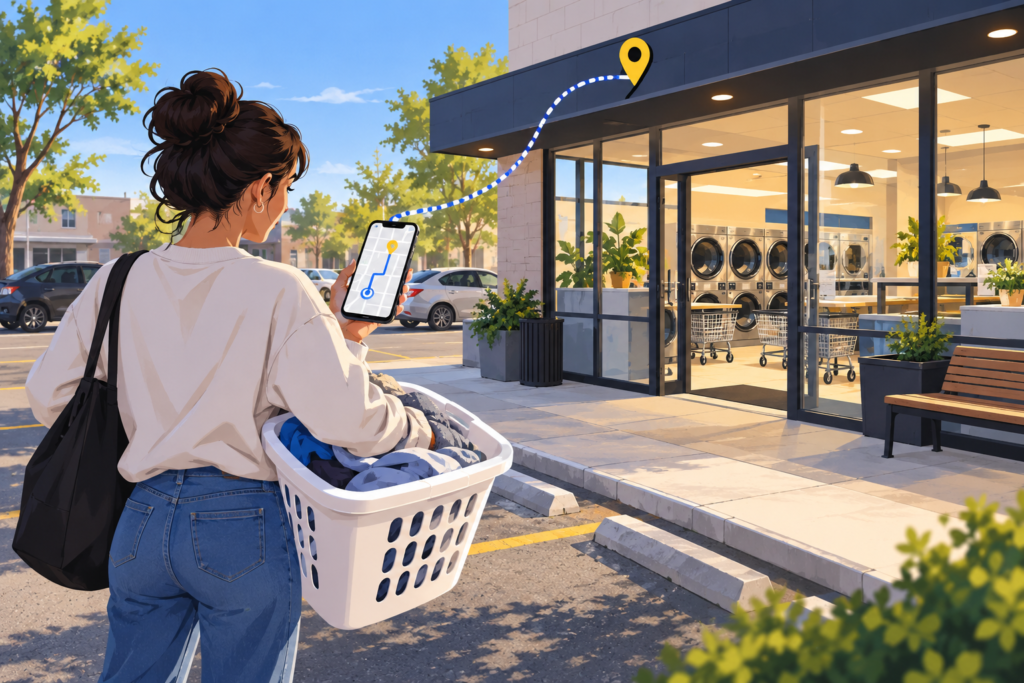
Someone in your neighborhood has three loads of laundry, a car full of blankets, and a phone in their hand. They search for a laundromat nearby. Before they consider your brand or admire your logo, they want to know: Are you open? Where do they park? Can they use a card? Does the place look clean?
Your Google Business Profile is often where that decision starts. In a discussion among laundromat owners, several said customers find them through Maps, while their websites receive less attention. That’s their experience, not a rule for every store. It does make a good case for checking what people see on Maps before spending money to send more people there.
Google says local results are mainly based on relevance, distance, and prominence. Relevance is how well a listing matches the search. Distance depends on where the searcher is. Prominence reflects how well known a business is, including signals such as reviews and links from other websites. There is no switch you can flip to rank first across your entire city, and paying Google does not buy a better organic Maps position. Google explains the factors here.
That leaves a much more productive question than “How do I beat the algorithm?”: Can a nearby customer quickly tell that my store meets their needs? Start there.
A customer who arrives at a closed door will remember that longer than your clever description.
Claim and verify the profile for each eligible location you operate. Then check its address and map pin, phone number, website link, and regular hours. Search your store on Google Maps as a customer would and tap Directions. Make sure the route ends at the entrance people actually use, especially if the building sits in a shopping center or has parking around back.
Next, choose the primary category that best describes the business. Use additional categories only when they genuinely describe what that location is. A self-service store and a wash-and-fold-only location should not be described as though they offer identical services. If your profile offers a Services section, list the services customers can actually buy there, with useful descriptions rather than a cloud of repeated keywords. Google’s service editor guidance explains the available options, which can vary by category.
Hours deserve a second look. If your last wash must start well before closing, say so clearly on your website and wherever your profile allows you to explain it. If wash-and-fold drop-off hours differ from self-service hours, spell that out too. Special hours are useful for holidays and temporary changes, even when your store remains open on a holiday. “Open 24 hours” is useful information only if that particular store really is.
Good photos save people a scouting trip.
Stock images can look nice on a website. On your Maps profile, customers need to recognize your storefront. Add clear, current photos of the outside and entrance, the machine rows, folding areas, payment options, parking, and any wash-and-fold counter. If you advertise large-capacity washers, show them. If you’ve renovated, replace the photos that still make the store look like it did five years ago.
Take the pictures when the store is clean and well lit, but keep them honest. Google recommends clear, lightly edited business photos. You can set a cover image, although Google does not guarantee it will be the first image every customer sees. That is one more reason to look through the whole public photo gallery, including customer uploads.
A useful test: give someone who has never visited the store thirty seconds with your profile. Can they find the entrance, tell what payment methods you accept, and decide whether the place feels comfortable? If they have to guess, add the missing information.
The goal is a trustworthy picture of the store, not a suspiciously perfect score.
Ask customers for an honest review after a real visit. Google lets you create a direct review link or QR code that you can put on a receipt or display in the store. Keep the request simple: “If you visited us, we’d appreciate an honest Google review.” Ask broadly, rather than choosing only customers who seem thrilled.
Reply to reviews as a person who runs a store. Thank customers who mention a helpful attendant or a clean facility. For a complaint, acknowledge the specific issue, say what you can check, and move sensitive details to a private conversation. If the same complaint keeps appearing, the fix belongs on the floor, not in a more polished reply.
Skip the free-dry-for-five-stars idea. Google’s review policy prohibits incentives for reviews and selectively soliciting positive ones. Google also says more reviews and positive ratings can help local ranking, but nobody can promise that a given number of reviews will put you in the top three. Its local ranking guidance is the better reference than a magic review target.
Maps helps people find you. Your website can answer the questions that don’t fit neatly on a listing.
For a self-service customer, that might be washer sizes, accepted payments, parking, accessibility, last-wash time, and a prominent Get Directions button. For wash-and-fold, it might be pricing, turnaround time, what you accept, drop-off instructions, and a working pickup request or booking path. If you run several locations, give each store a clear page with its own hours, services, address, and directions. Do not make customers solve a three-location puzzle to find the right phone number.
Then check whether people use what you’ve published. Your verified profile’s Performance section can show searches and actions such as direction requests, call-button clicks, and website clicks. These are useful signals, but a click is not the same thing as a completed visit or sale. Google explains its Business Profile metrics. Compare trends over time, and ask staff what questions customers still call to ask. Those questions often reveal the next thing your listing or website needs to explain.
You do not need to spend your weekend feeding the algorithm. Give people accurate hours, a recognizable storefront, real photos, honest reviews, and a website that answers the next question. Check each location separately. The best profile in the world cannot rescue a broken washer or a locked door, but it can help customers see the good store you’re actually running.
Do a five-minute “first-time visitor” check once a month. Search your store from a phone, open the Maps listing, request directions, tap the website, and try to find the last-wash time. Fix the first confusing thing you encounter. Repeat for every location.
Whatever brought you here, we’re ready to take a look. Start with a free, honest audit of your website and Google presence.
Written by the All Ads. No Brakes. team — an agency that works exclusively with laundromats.
Start with a free audit. We’ll help you find the clearest next move.